How DevSignal works

Your code and your plans, in one view.

GitHub is the source of truth — what your team actually shipped. Linear is the plan — what was meant to ship. DevSignal cross-references them so you read the gap, not the noise. Scroll to see how — the stage on the left changes as you read.

Scroll
The thesis

Two streams. One honest view of the week.

Every engineering team already produces two parallel records: the code (PRs, reviews, commits) and the plan (tickets, cycles, comments). They drift apart constantly — work that shipped without a ticket, tickets that nobody is touching, sprints that quietly slipped. DevSignal connects both streams via their official APIs, then writes the honest paragraph nobody on your team has time to. No data is moved, nothing is duplicated.

Reports UI Daily digest in Slack Smart Search UI Signals and Sprint UI
01 · Reports 01 / 04
01 · The stakeholder layer

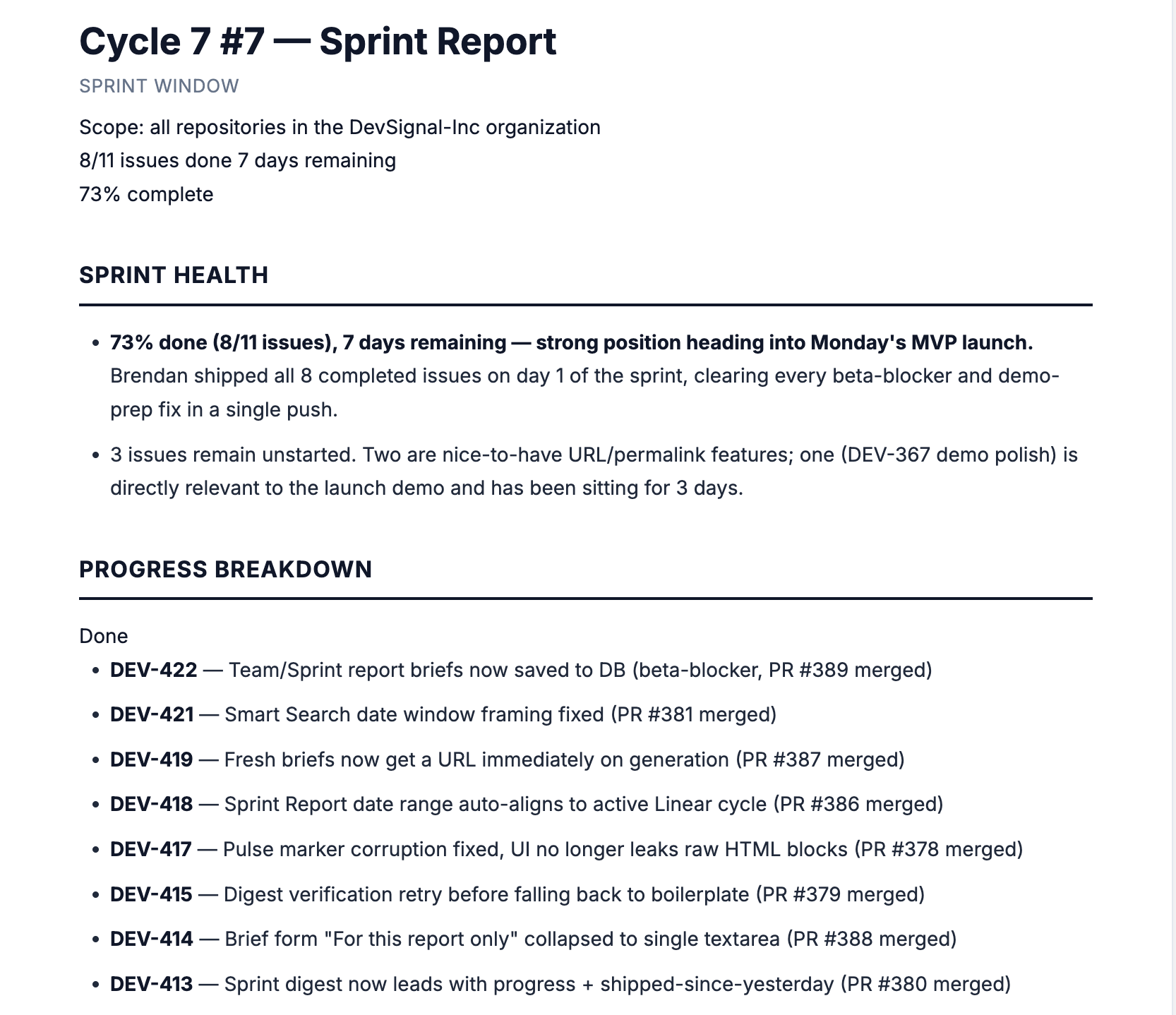
Reports turn a week of activity into a paragraph.

One-click developer, team, and sprint reports. DevSignal pulls the activity, the threads, and the decisions, then writes a structured summary you can paste into a 1:1 doc, a stakeholder update, or a retro — cited every time.

Generates
Per-developer · per-team · per-sprint summaries
Styles
Bullet · narrative · executive — toggle in place
Delivers
Web view · Slack channel · permalink share
02 · The cadence layer

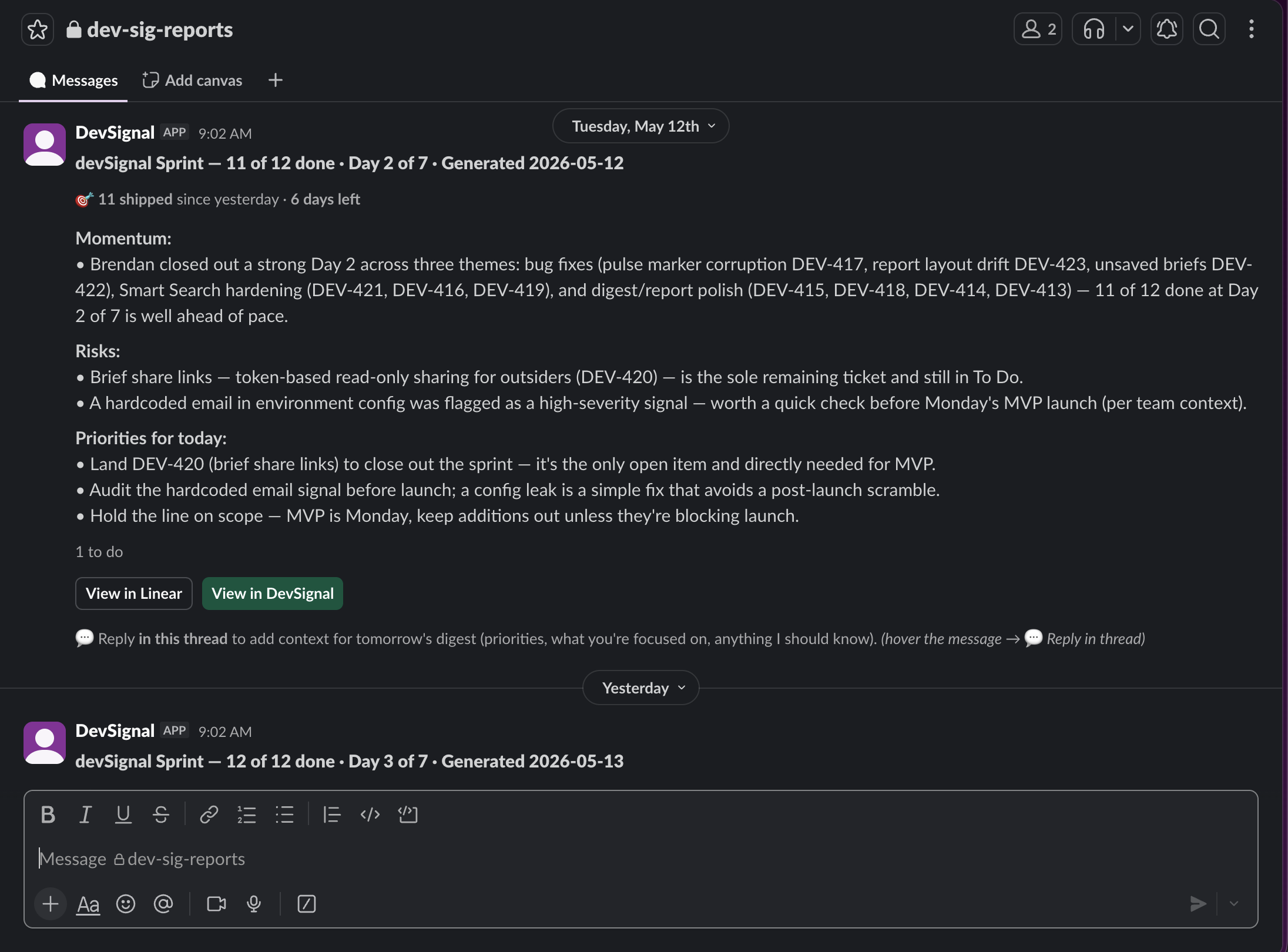
Daily Digest posts your team's week to Slack, on schedule.

Set a channel, a cadence, and a report style once. DevSignal posts the same cited paragraph from Reports to Slack at the time you pick — so stakeholders read it where they already are, not in a tab they forgot to open.

Cadence
Daily · weekly · per-sprint — pick per automation
Flavors
Sprint-aware (Linear cycle progress) · activity (GitHub-only)
Delivers in
Slack channel of your choice · DMs to reviewers (optional)
03 · The answer layer

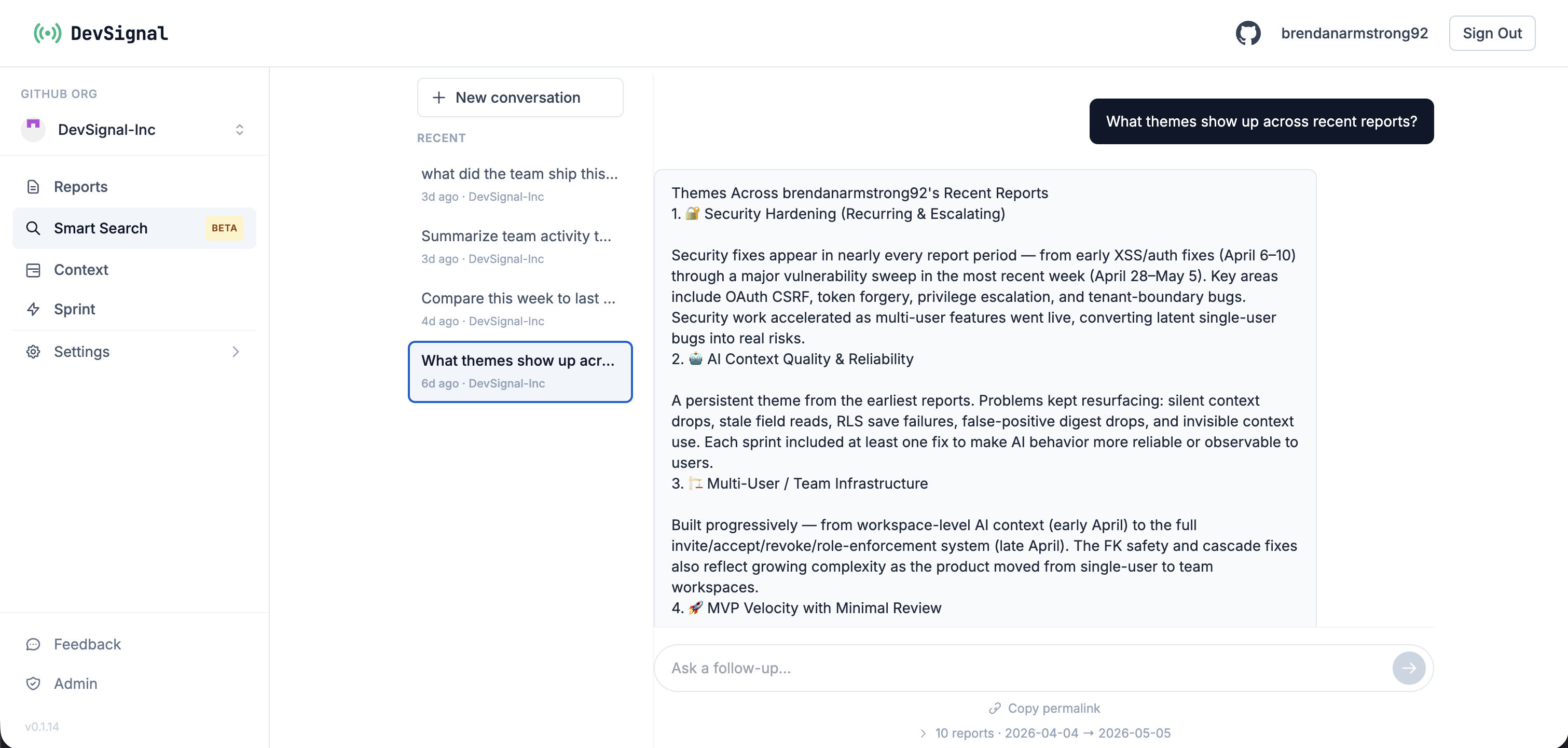
Smart Search answers any question, with citations.

Ask "why did the auth refactor slip" — get the timeline from GitHub, the decision from Linear, the conversation from Slack, in one paragraph. Every claim links back to the source.

Asks
Anything across the three tools — natural language
Returns
Cited paragraphs · conversation history · shareable permalinks
Grounds in
Real PRs, issues, and threads — never trained on your data
04 · The detection layer Beta

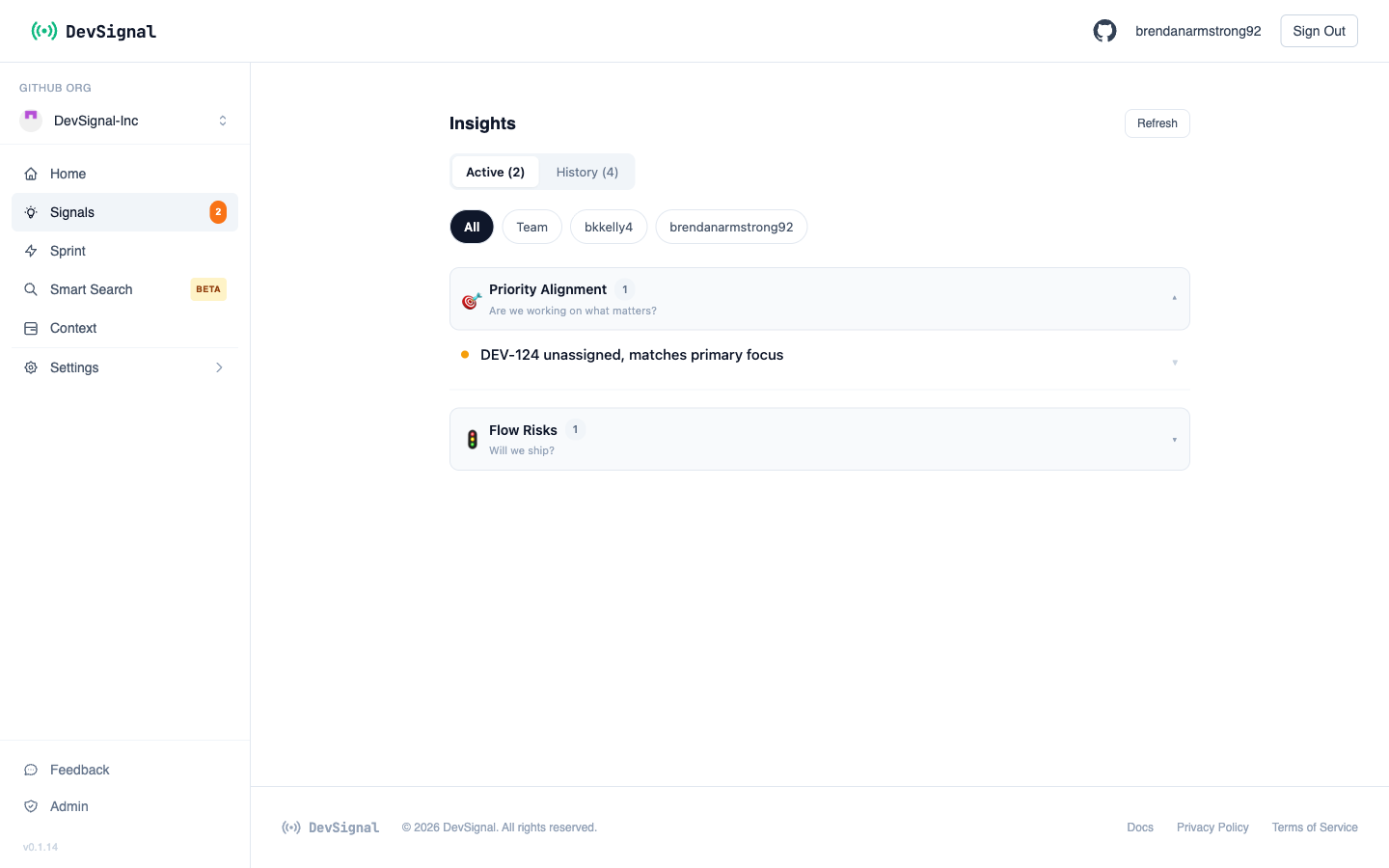
Signals & Sprint — the gap between plan and code, flagged.

When something drifts — a review stalled, a sprint burning faster than expected, a P0 with no movement, a goal-relevant issue that hasn't been touched — DevSignal turns it into a signal. Sprint board pins the active cycle's goal and scores each issue against it. Both are in beta as we calibrate against real team activity.

Sees
PR review state · issue transitions · cycle burn · sprint-goal relevance
Flags
Priority drift · flow risk · sprint slippage · goal-irrelevant work
Status
Beta — being tuned against beta-team activity, expect tighter thresholds over time
Time to value

From connected to your first report in minutes.

3 min
Install GitHub App, paste a Linear key, OAuth Slack
Setup
5 min
Generate your first developer or team report
First value
Day 1
Schedule a daily digest to your team Slack channel
Cadence
Week 2
Signals and Sprint start calibrating to your team's normal
Beta tuning

Stop reading status updates — read what matters.

Free during beta. Connect GitHub, Linear, and Slack — generate your first report in minutes, daily digest in the same session.

Sign up for free Back to home