01 AI for engineering teams · Beta

Know what's actually
happening.

DevSignal turns your GitHub, Linear, and Slack activity into AI-curated signals — what's stuck, who's overloaded, where the sprint is slipping. For managers who want context without status meetings.

FreeDuring beta
0Source code retained
3GitHub · Linear · Slack
Live signal
Priority alignment
DEV-124 unassigned · matches primary focus
92% Confidence
27Shipped
8In flight
5dCycle left
Goal fit88%
Velocity72%
Risk38%
Three surfaces · One signal layer

Stop reading status updates — read what matters.

DevSignal listens to GitHub, Linear, and Slack continuously. AI surfaces the things that need attention, in the place where you'd actually act on them.

0Source code retained or trained on
3GitHub · Linear · Slack — connected
NarrowGitHub, Linear, and Slack scopes
RLSTenant-isolated storage on every table
AI for engineering teams · Beta

The signal layer for shipping teams.

DevSignal turns the activity in your GitHub, Linear, and Slack into curated insights. What's stuck. Who's overloaded. Where the sprint is slipping. No status meetings required.

Linear has the plan. GitHub holds the truth.

DevSignal cross-references them to summarize what happened, what needs attention, and what you can do about it.

Stay on plan with instant developer, team, and sprint updates. Spend less time digging and crosschecking.

01 · Connect

Connect

Install the DevSignal GitHub App, link your Linear workspaces, and add Slack. ~3 minutes, read-only access.

Signals product preview 01 · Connect
01 · The connection layer

What "Connect" actually does.

DevSignal authenticates into your tools and starts reading event streams in minutes. Nothing moves or duplicates — we attach to the APIs you already use.

Narrow scopes per tool. Authorize once. Revoke anytime. Full scope list on the security page.
Writes only what you ask for. Digests you scheduled, review requests you triggered, comments on briefs you generated.
Bounded initial sync. Recent activity first, then live forward.
02 · Curate

Curate

Tell DevSignal what your team is focused on this quarter. AI grounds every signal it surfaces against your context.

Context product preview 02 · Curate
02 · The grounding layer

How Context shapes every signal.

A few paragraphs of team focus that DevSignal references whenever it scores work — so it knows what's on-priority vs. just interesting.

Quarterly priorities. Three to five sentences. Update them as focus shifts.
Workspace + per-team layers. Org-wide and per-squad context, separately scoped.
Auto-detected updates. New contributors and emerging work themes surface as proposed edits — you accept or skip each one.
03 · Act

Act

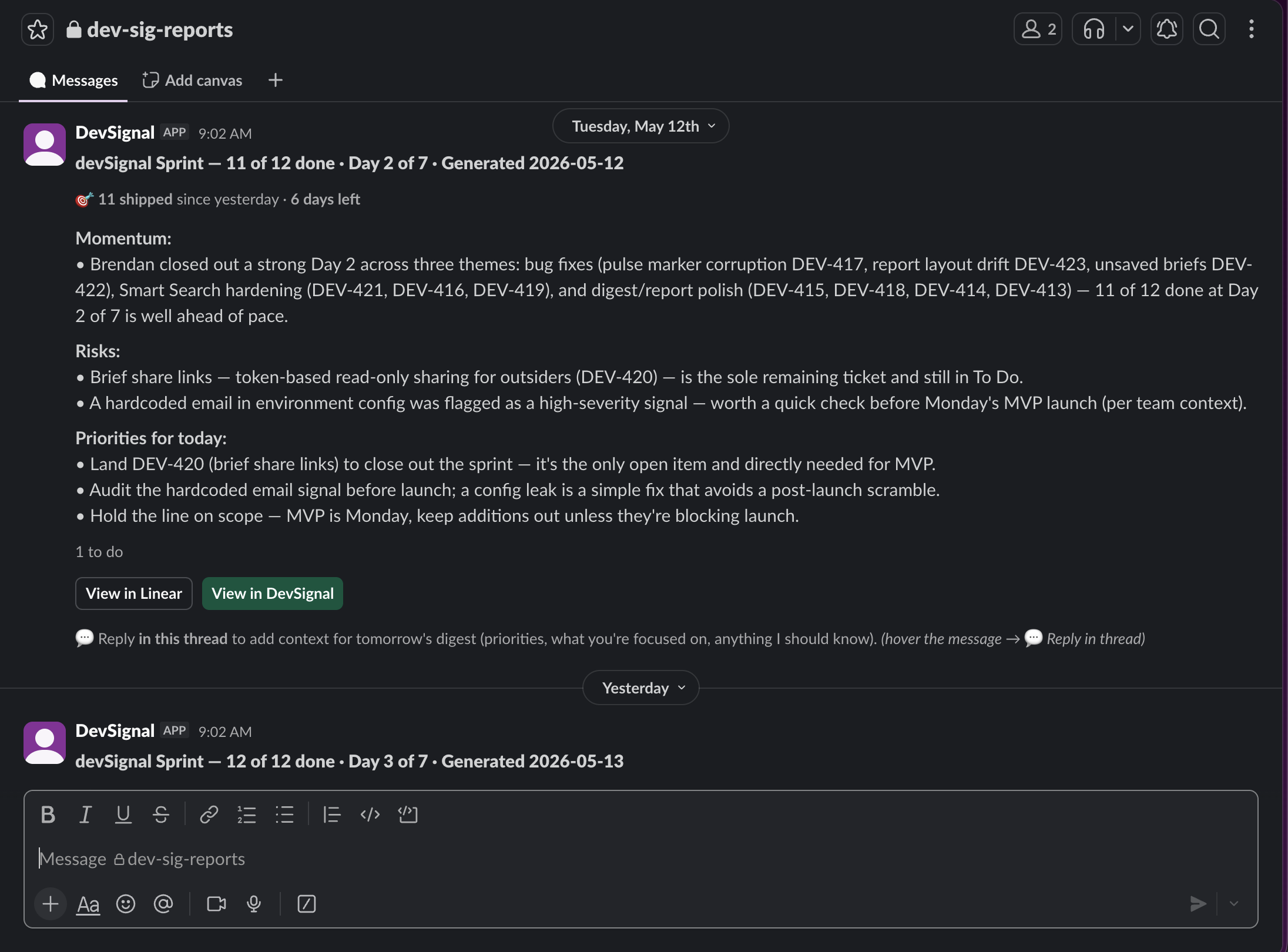
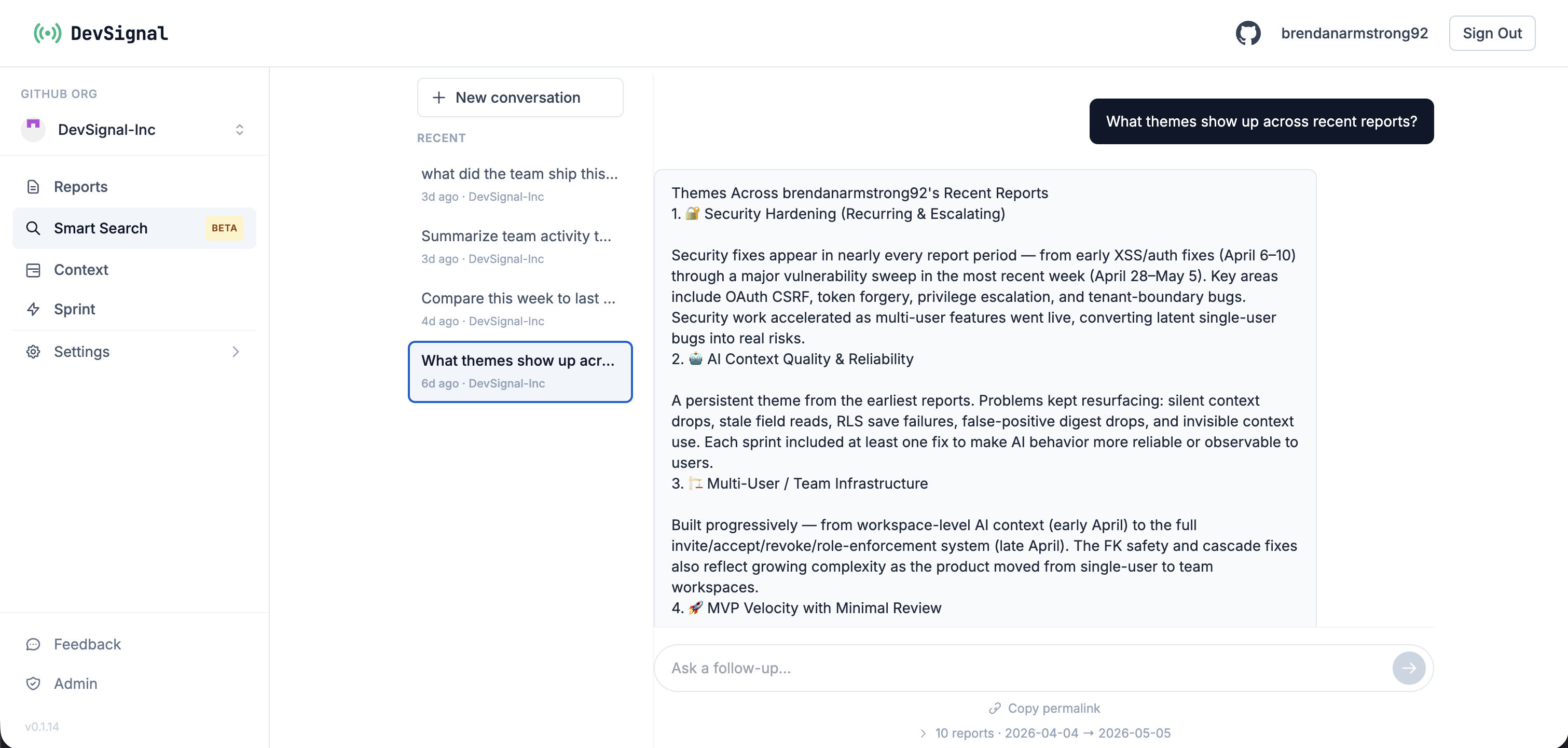
Three day-one surfaces over your connected tools: Reports for stakeholder updates, Daily Digest to Slack, Smart Search for any question. Plus Signals & Sprint in beta.

Reports product preview 03 · Act
03 · The action layer

What DevSignal does with the connected streams.

Reports turn a week of activity into a paragraph. Daily Digest posts that paragraph to Slack on your schedule. Smart Search answers any cross-tool question with citations. Signals and Sprint flag the gap between plan and code, with both in beta.

Reports. Per-developer, per-team, or per-sprint summaries. Bullet, narrative, or executive style.
Daily Digest. Scheduled Slack post in the channel you pick. Set once, runs forever.
Smart Search. "What shipped this week?" returns a cited paragraph, linked back to PRs, issues, and threads.
Signals & Sprint (beta). The gap between plan and code, flagged when it matters.

Built for the moments that matter.

Read the docs →

Engineering, with signal.

Free during beta. Connect GitHub, Linear, and Slack in three minutes — generate your first report in minutes, schedule a daily digest in the same session.